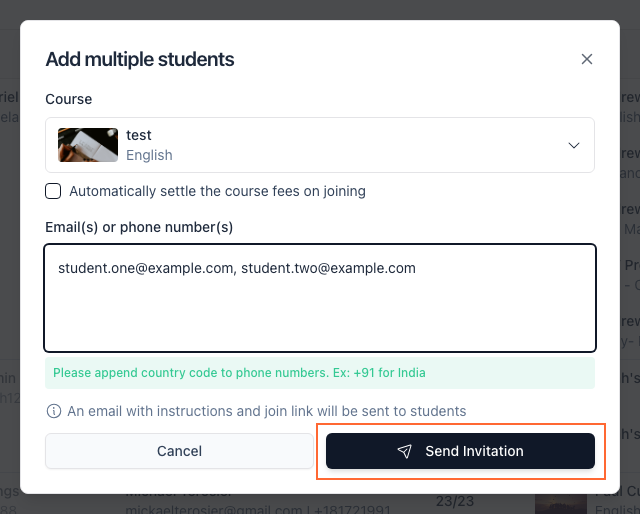
Invite multiple students to a course
Bulk-invite students to a course by email or phone; each receives a join link.
Written By WiseApp
Last updated About 2 hours ago
Last updated: 2026-07-20
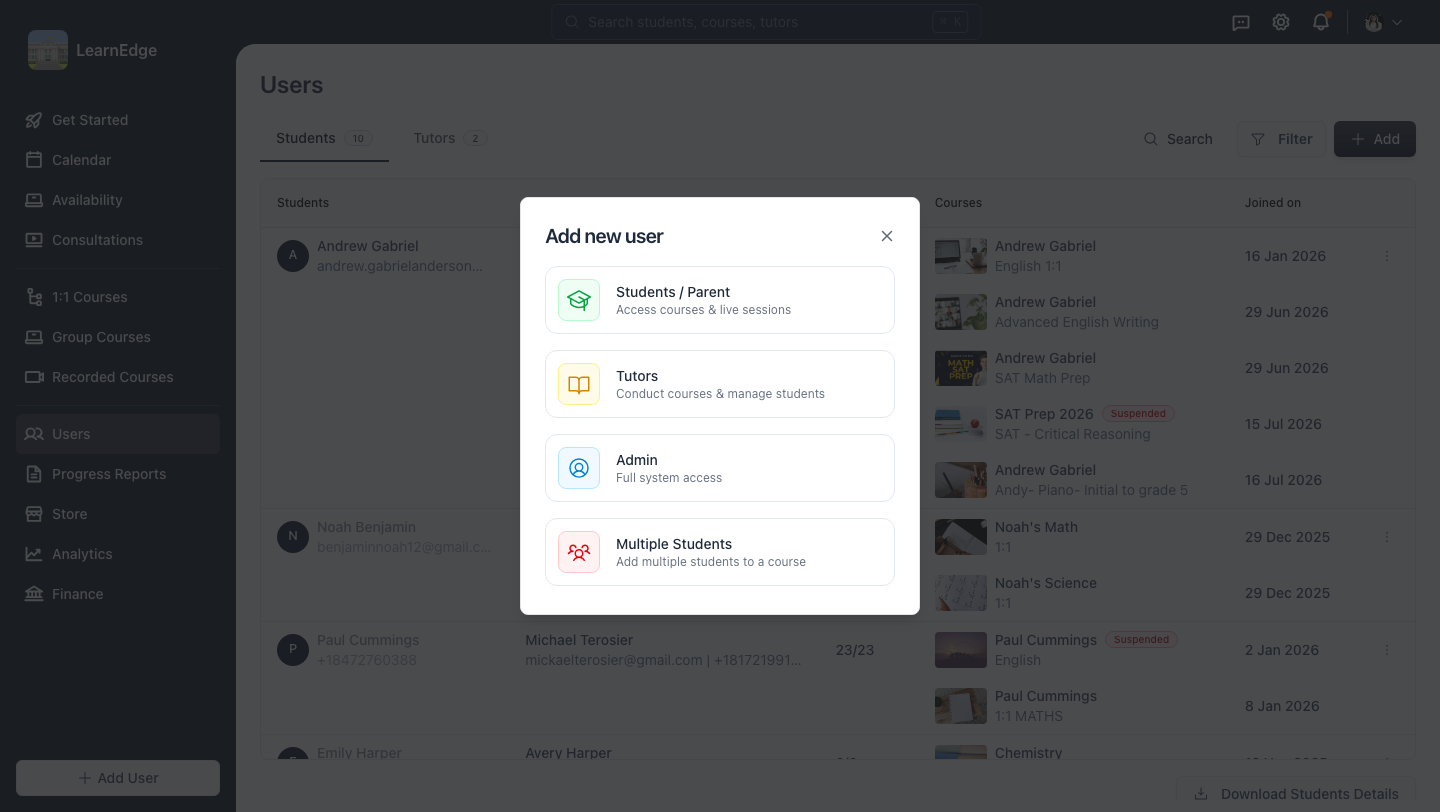
Step 1: Open the Add new user menu
In the sidebar go to Users, click + Add, then choose Multiple Students from the menu.
Step 2: Enter the students to invite
Pick the Course, then enter students' emails or phone numbers, comma-separated. Append the country code to any phone number (e.g. +91).
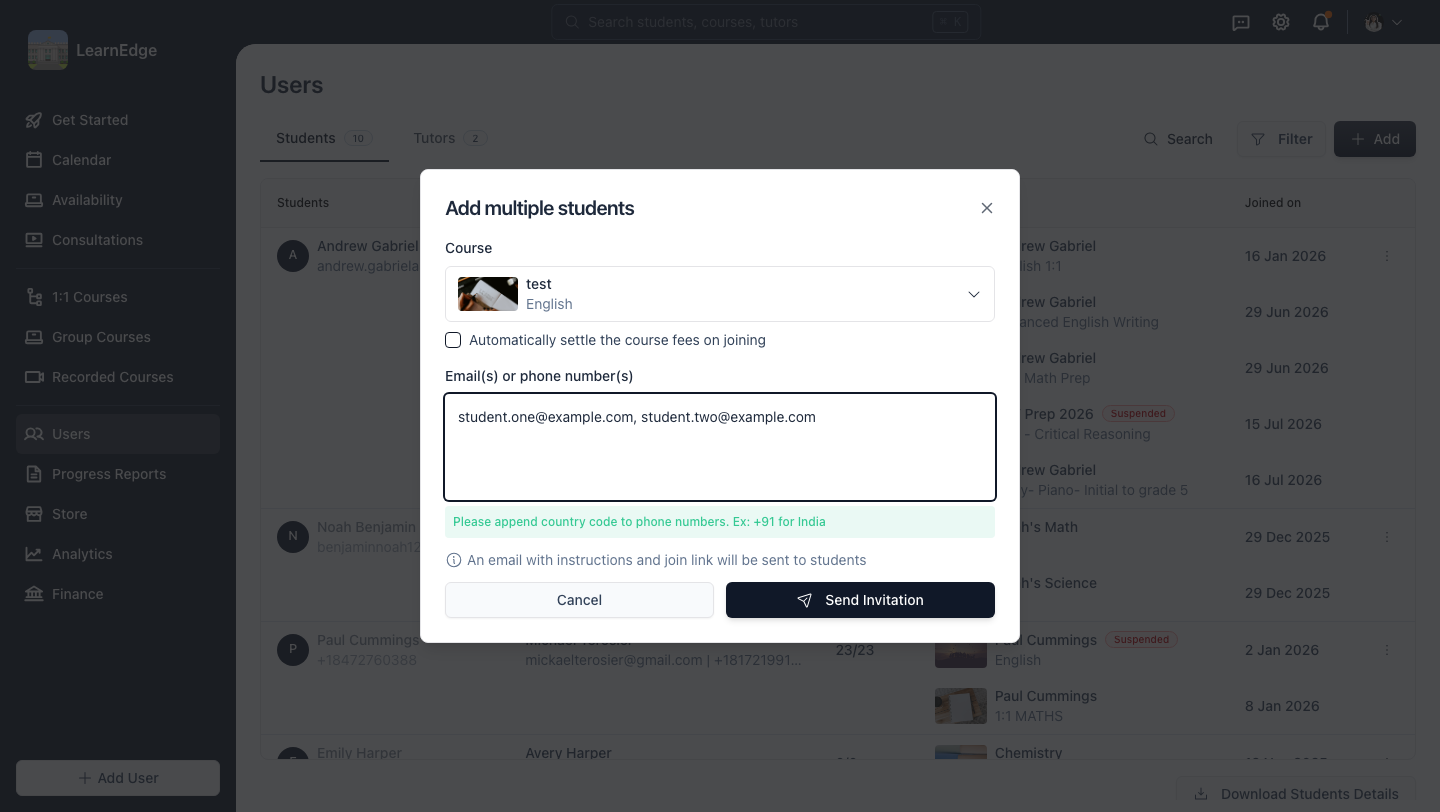
Step 3: Send the invitations
Click Send Invitation. Each student receives an email with instructions and a join link.